Duo Themes / iPhone Duo
For iPhone Duo · FreeiPhone Duo wallpapers, widgets & themes
Two screens deserve one look. Design widgets, Lock Screen widgets, wallpapers and icons in a single palette — and carry it from the cover screen to the inner screen.
Free on the App Store. Requires iOS 17.0 or later.
Why theming a foldable is different
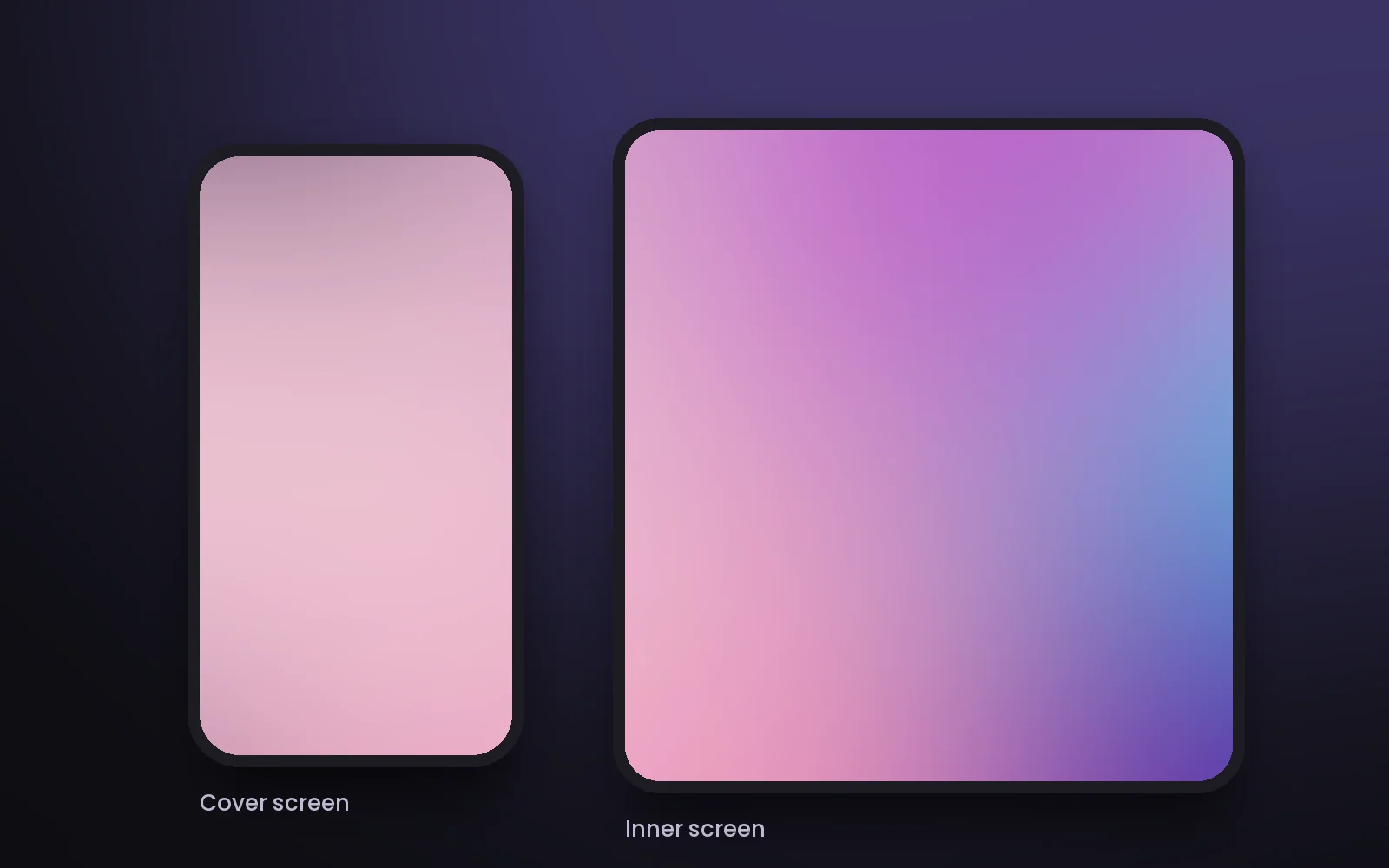
iPhone Duo opens from a phone-shaped cover screen into a much wider inner screen. A wallpaper cut for one rarely looks right on the other.
Two shapes
The tall cover screen and the near-square inner screen crop the same image in completely different places.
Exact resolution
Duo Themes renders every wallpaper at the pixel size of the screen it's open on, so nothing is stretched or soft.
One palette everywhere
Use the same palette for widgets, Lock Screen widgets, wallpaper and icons so both screens feel like one design.
What works today — and what's next
| Home Screen widgets | Available 8 widget types, unlimited saved designs, switch designs from the Home Screen. |
|---|---|
| Lock Screen widgets | Available Circular, rectangular and inline layouts for every design. |
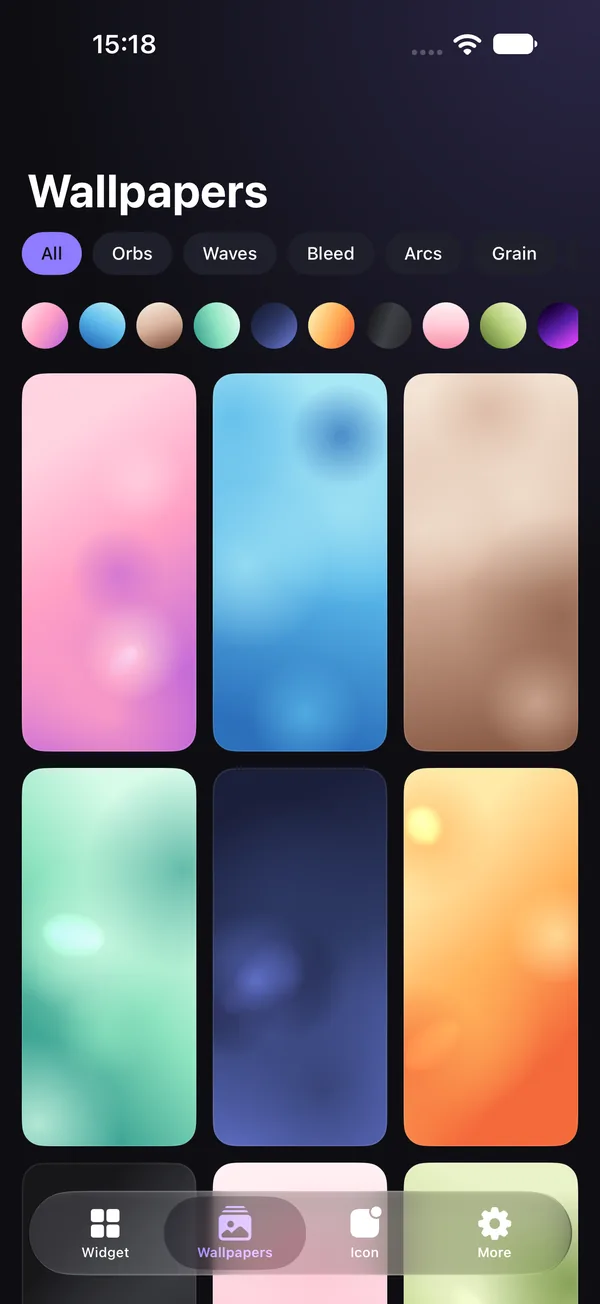
| Wallpapers | Available 96 generative wallpapers, saved at the resolution of the screen you're using. |
| Icon studio | Available 28 symbols, 4 background styles, applied with the Shortcuts app. |
| Matched cover + inner wallpaper pairs | In development One style, palette and seed, laid out separately for each screen and saved as a pair. Free update. |
Set up both screens in a few minutes
- Pick a palette in the Wallpapers tab and choose a style you like.
- Open Duo Themes on the cover screen and save the wallpaper — it's rendered for that screen.
- Unfold, and save again on the inner screen for a version sized for the wide display.
- Add widgets in the same palette to your Home Screen and Lock Screen.
When matched pairs arrive, steps 2 and 3 become a single tap.
iPhone Duo at a glance
The basics that matter for theming, from Apple's announcement.
| Cover screen | 5.4-inch |
|---|---|
| Inner screen | 7.6-inch, opens like a book |
| Software | iOS 27 |
| Available | October 23, 2026 (pre-orders from October 16) |
Details from Apple's public announcement. See apple.com for full specifications.
iPhone Duo FAQ
Does Duo Themes work on iPhone Duo?
Duo Themes is an iPhone app that requires iOS 17.0 or later, so it installs on iPhone Duo like any other iPhone app. Widgets, Lock Screen widgets, wallpapers and the icon studio all work the same way they do on other iPhones.
What size wallpaper does iPhone Duo need?
iPhone Duo has two displays — a 5.4-inch cover screen and a 7.6-inch inner screen — with different shapes. Duo Themes saves each wallpaper at the exact resolution of the screen the app is open on, so open the app on the screen you want to decorate before you tap save.
Can I use one wallpaper on both screens?
You can, but because the inner screen is much wider, the same image gets cropped very differently. A matched pair — the same style, palette and seed laid out for each screen — looks more intentional. That's the feature we're building next.
When will matched wallpaper pairs arrive?
They're in development now and will ship as a free update. There's nothing to buy — if you already have Duo Themes, you'll get it automatically through the App Store.
Is Duo Themes made by Apple?
No. Duo Themes is an independent app and isn't affiliated with or endorsed by Apple. iPhone Duo is a trademark of Apple Inc.

Ready when your iPhone Duo is.
Install now and your themes are waiting on day one.